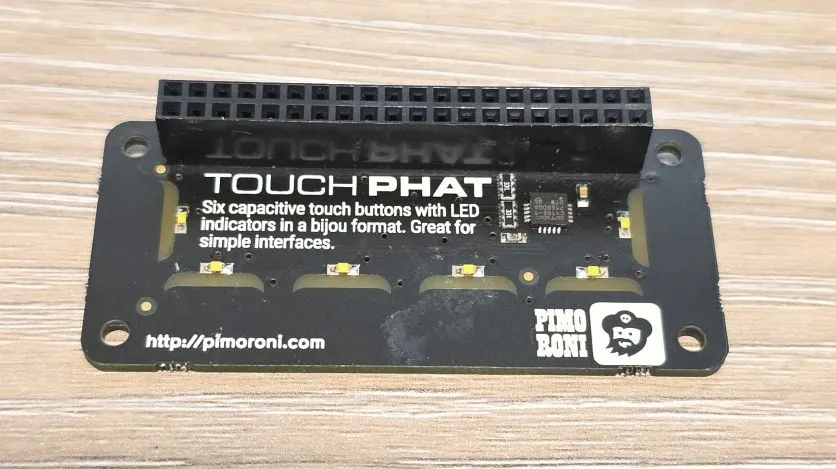
Touch pHAT
Touch pHAT with 6 touch pads and 6 LEDs by Pimoroni
🚀 Used in Projects (2)
Connection Types
Overview
Six touch-sensitive buttons with added LEDs. It uses the CAP1166 capacitive touch and LED driver chip. The LEDs have been under-mounted and shine through exposed sections of the PCB to give a pleasing yellow-green glow and a completely smooth top surface!
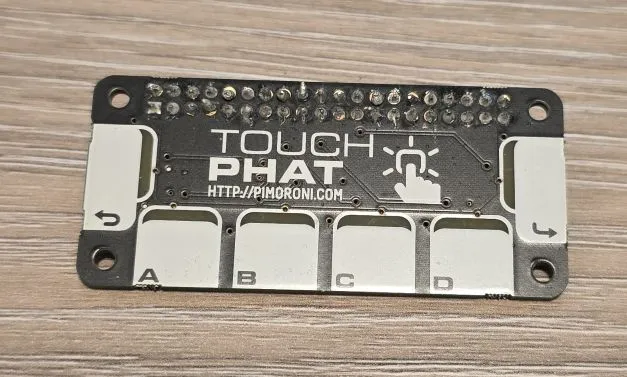
The board features:
- Six capacitive touch buttons
- Six bright white under-mounted LEDs
- Microchip CAP1166 capacitive touch and LED driver chip
- I2C: 0x2c
Wiring - Important 🚨
Raspberry Pi has external pull-up resistors on the board for I2C. I read somewhere that they are 1.8K - this increases power consumption but allows faster communication. Raspberry Pi Pico does not have them.
Because of this, some Raspberry Pi add-on boards (HATs) that use I2C chips, do not include external pull-up resistors. Without them, the I2C communication might still work, but if it works it won’t work very well. I did not realize this immediatelly because the board worked … kind of fine … for testing.
However, once deployed, and actually used for a while, I was having all sorts of weirdness. The device was detecting phantom touches and waking up in the middle of the night on 100% brightness … not good 🤦♂️. Anyway, after adding the external pull-ups everything settled and all is working fine now. Live and learn 🙂.
Configuration Notes
Not supported by ESPHome. The chip is nearly exactly the same as CAP1188. The only difference is that CAP1188 supports 8, and CAP1166 supports 6 touch sensors and LEDs. Addresses and functionalities are all the same.
NOTE The LEDs are not linked to Touch Pads. LEDs are positioned under different pads so they have to be disconnected.
✅ External component available (by me 🙂)
Basic Configuration
esp32:
  board: esp32dev
  framework:
#    type: arduino
    type: esp-idf

external_components:
    - source: github://barbarachbc/esphomecomponents
      components: [ cap1166 ]
      refresh: 5min

cap1166:
  - id: touch_phat
    address: 0x2C
    touch_threshold: 0x40
    allow_multiple_touches: true

i2c:
  id: i2c_bus
  sda: GPIO33
  scl: GPIO32

binary_sensor:
  - platform: cap1166
    id: touch_key0
    channel: 0
    name: "Touch Key 0"
    on_press:
      then:
        - ....
    on_release:
      then:
        - ....
    on_click:
      min_length: 50ms
      max_length: 350ms
      then:
        - lambda: |-
            ESP_LOGI("my_test", "Touched Key 0");
  - platform: cap1166
    id: touch_key1
    channel: 1
    name: "Touch Key 1"
    on_press:
      ....
NEXT: add notes on all the functionality of the external component
Other Images
Touch pHat back: